Document builder
A document builder inside the product — contractors assemble their own contracts, waivers and completion reports, and send them for signature without leaving the job
the problem
Almost every service business runs on paperwork it did not write. A contract drafted by a lawyer, a manufacturer’s warranty form, a waiver required by an insurer. The words are fixed; only the names, dates and signatures change.
Zuper held the job, the crew, the materials and the invoice — and then stopped. The contract was written in a PDF editor, emailed, chased, signed somewhere else, and filed wherever the person who sent it happened to file it.
So the single document that proves the work was agreed to lived outside the system that ran the work. Nobody could answer “did they sign it?” without leaving the product and asking a person.
the constraint
The people building these documents are contractors, not lawyers and not software users. They already own legal paperwork somebody else wrote, and they cannot be allowed to accidentally break it — but every job still needs its own edits.
the words, in plain English
- Template — The master document, built once. Every job makes its own copy from it.
- Block editor — Writing where each paragraph, heading or table is a separate movable object — the way Notion works.
- Variable — A placeholder like customer address that fills itself in from the job when the document is generated.
- E-signature — A legally signable field. Once signed, the document can no longer be edited.
how I understood it
I looked at what contractors were already sending. Almost none of it was written from scratch — it was a PDF somebody else had drafted, filled in by hand or in a PDF editor, then emailed.
That reframed the brief. The obvious product here is a document editor. What they actually needed was a way to keep the paperwork they already have and stop retyping the same nine fields into it.
Each decision in the next section names the finding it came from.
what I found
They already own the paperwork
The contract exists, a lawyer wrote it, and it is not up for redesign. Anything that asked a contractor to rebuild their legal document inside our editor would have been ignored — correctly.
The person filling it in is not the person who wrote it
An office manager builds the template. A salesperson uses it at a kitchen table. The second person needs to change the customer’s name and nothing else, and must not be able to delete a liability clause by accident.
Retyping is where disputes start
Addresses, job numbers and prices were being copied by hand into contracts. A typo in an invoice is embarrassing; a typo in a signed agreement is a legal problem.
Photographs are evidence, not decoration
Completion reports and damage assessments are only worth anything with pictures attached, and the pictures already exist in the job’s gallery. Nobody should be downloading and re-uploading them.
Two people sign, not one
The customer signs, and so does someone internal with authority to commit the company. A tool that assumed a single signer would have failed on the first real contract.
the decision it all hangs on
A document editor for non-experts has one central risk: give people enough power to build a contract and you give them enough power to produce an invalid one. The whole design comes down to where the guarantee lives that a document leaving the building is still correct.
- Lock templates completely — no job-level edits
Complexity lands on: Nobody, and therefore everybody. Safe and useless. Every job has something that needs changing. - Let anyone edit anything
Complexity lands on: The salesperson, on every document. Invalid contracts reach customers, and nobody notices until it matters. - Professional Services builds each document
Complexity lands on: Our team. Does not scale, and paperwork changes faster than tickets close. - The template author decides, page by page, what stays locked — shipped
Complexity lands on: The one person who understands the document. Authority sits with whoever wrote the clause, and the copy can still flex.
The person who understands why a clause exists is the person who locks it. Everyone downstream gets a document they can adapt but not damage — and the master in Settings is never touched by anything that happens on a job.
Open the working prototype — The builder, running. Add a page, type “/” for blocks, drop a field on it.
the decisions underneath
Absorb the PDF instead of replacing it
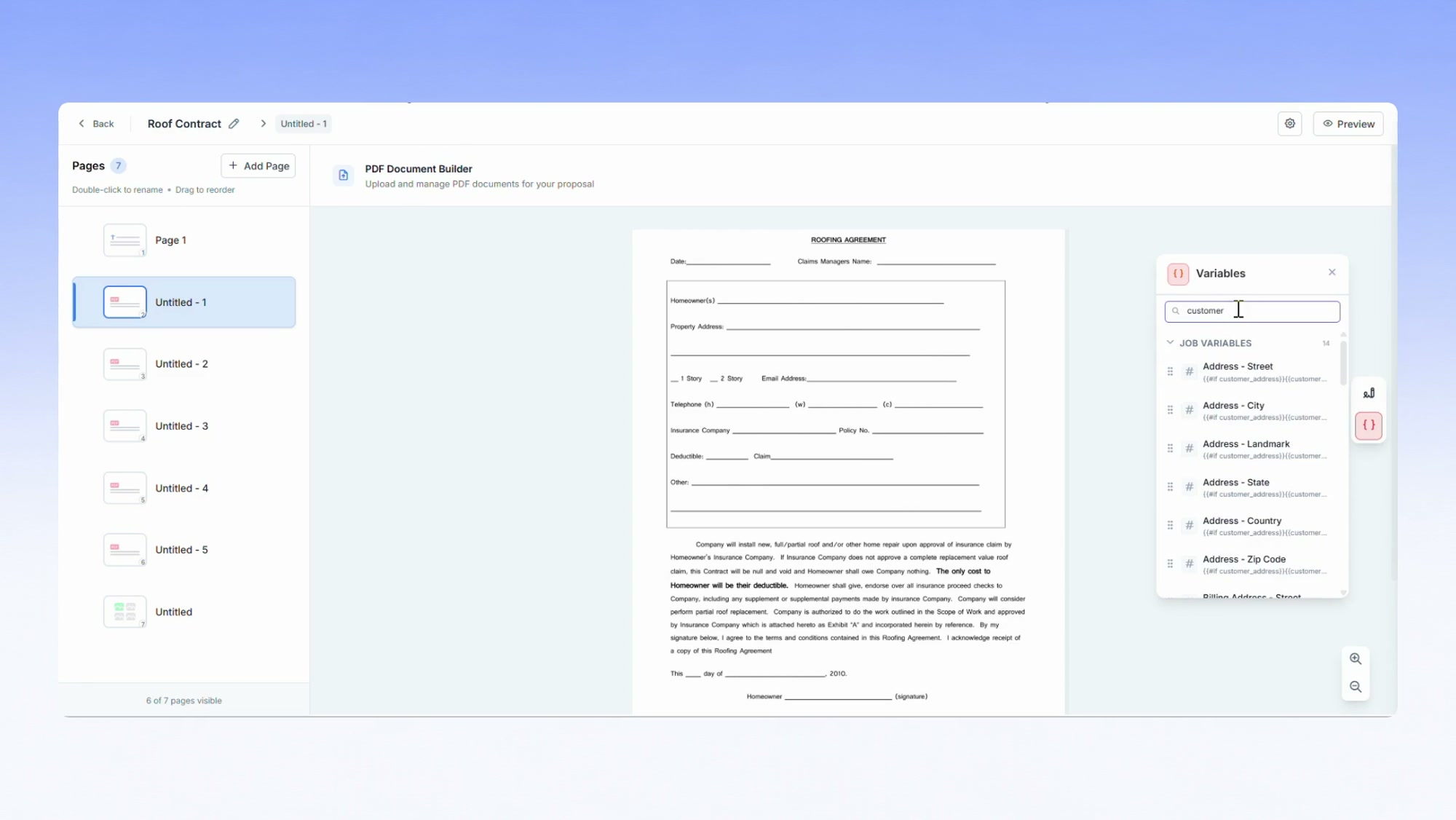
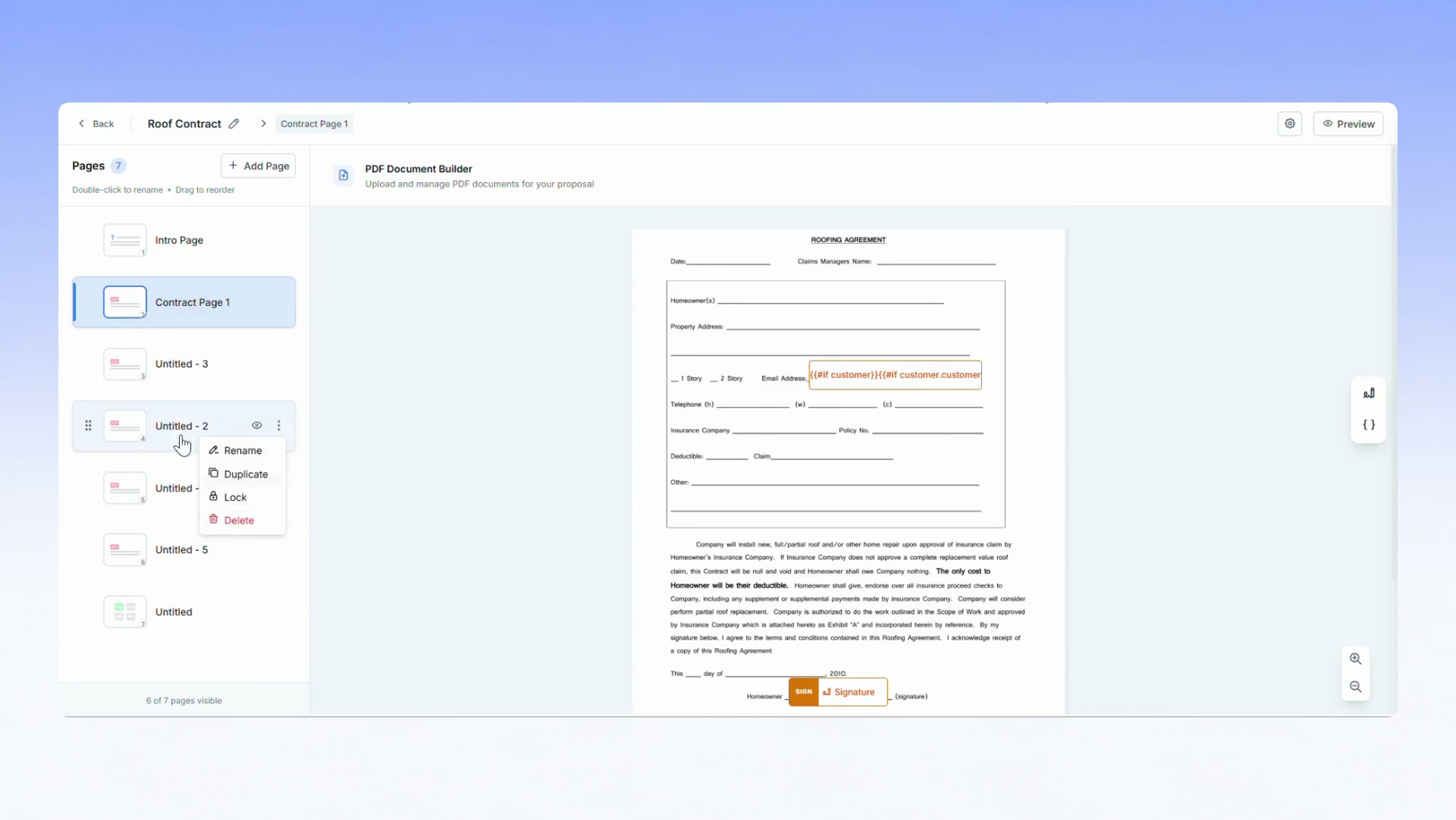
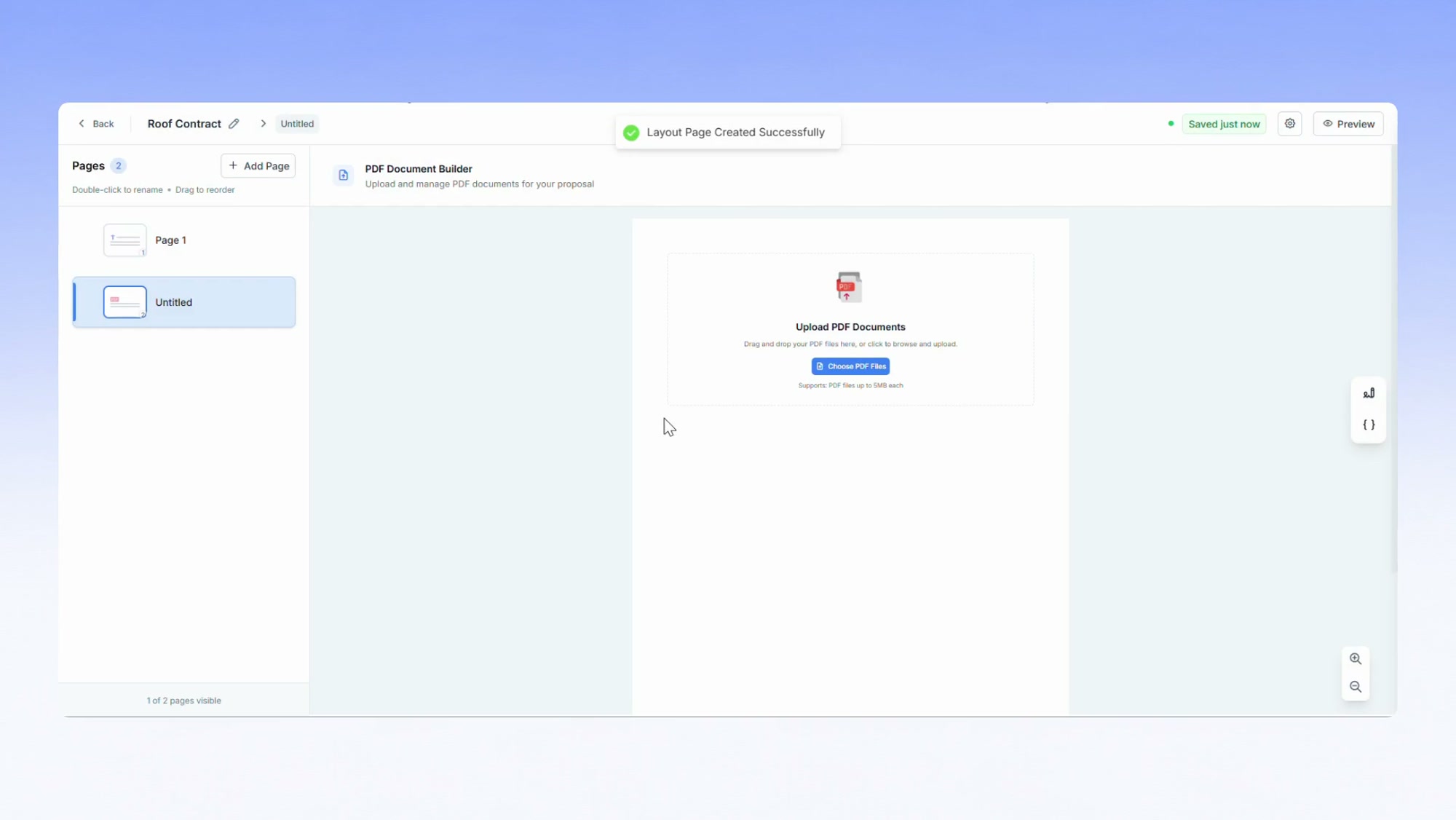
An uploaded PDF is not an attachment. Each page becomes its own editable canvas, so a ten-page contract arrives as ten pages a contractor can reorder, hide or lock — with their lawyer’s words untouched.
Fields and variables are then positioned onto that page by coordinate, so the generated document matches the original exactly. The design bet was that keeping someone’s existing paperwork intact matters more than the elegance of having one editor.
The master never changes
Applying a template to a job makes a copy. Every edit after that belongs to that job alone, and the template in Settings stays exactly as its author left it.
It sounds like plumbing. It is the reason a salesperson can confidently edit a contract at a kitchen table — the worst they can do is damage one document, not the one every future job inherits.
Lock what must not move
Any page can be locked by the template author. A locked page cannot be renamed, hidden or edited by anyone downstream — so the liability clause survives contact with a hurry.
The permission sits on the page rather than on the person, which is the right unit here: the thing that must not change is a paragraph, not a job title.
Let the job fill in its own document
Variables pull customer, property, job and organisation data at the moment a document is generated. On a text page you insert one inline; on a PDF page you drag it where the value should print.
The contractor places it once, in the template. Every document after that fills itself in from the job record, and the address on the contract is the address on the job by construction rather than by care.
Two signers, told apart by colour
Fields are assigned to a signer as you place them, and colour-coded: one colour for the customer, another for the internal authoriser. You can see who owes what before the document leaves.
Getting this wrong is expensive and silent — a contract that reaches a customer with the company’s signature field on it looks like a mistake, and a missing internal signature is not discovered until someone needs to enforce the agreement.
Let the status decide what is possible
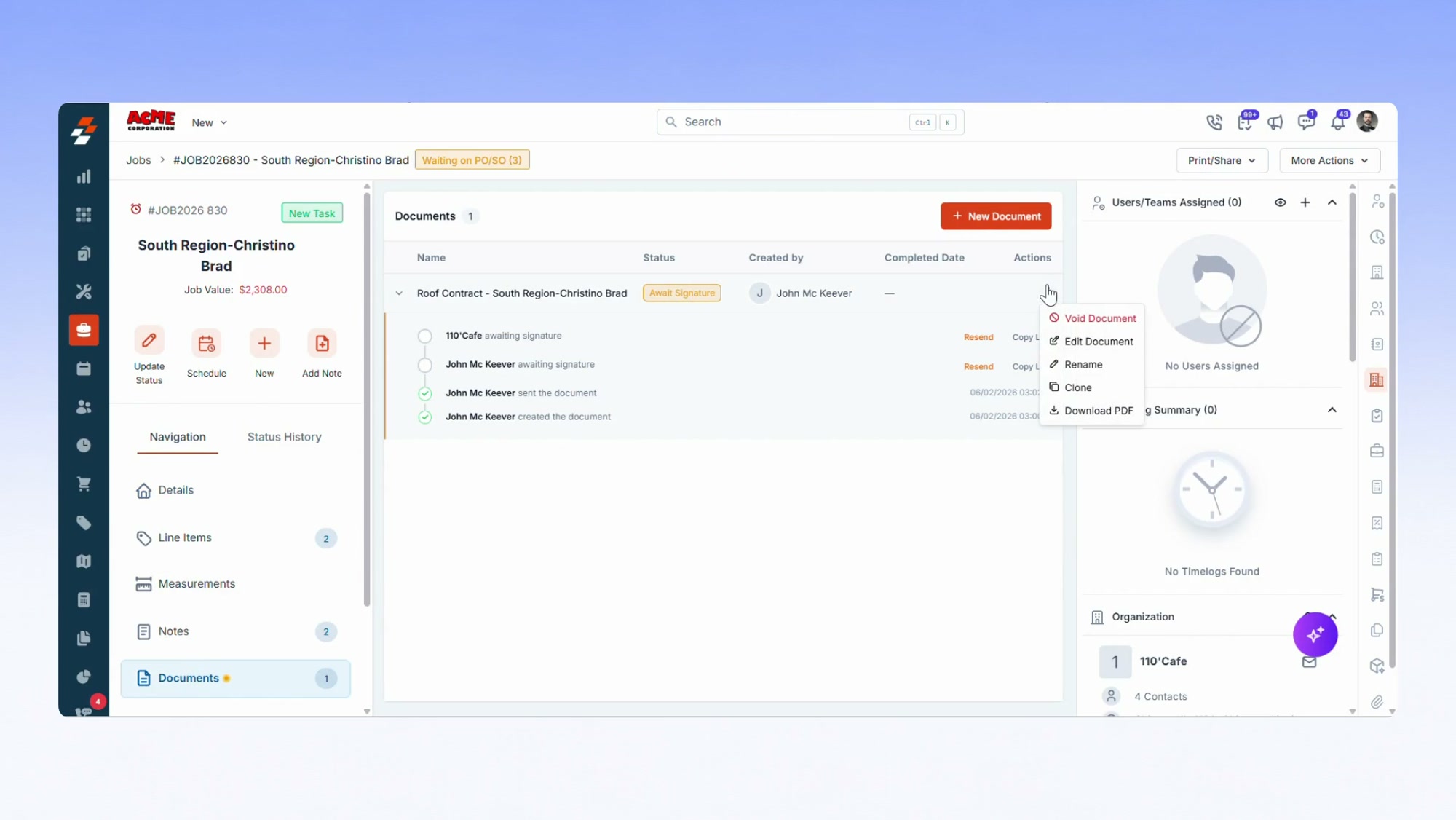
A document moves through draft, sent, awaiting signature, partially signed, signed, void and expired — and the actions available change at each step. Once anyone has signed, it can no longer be voided or deleted.
That is the lifecycle doing the enforcing rather than a warning dialog. The interface simply stops offering the destructive action, which is the only kind of guardrail that works on someone in a hurry.
what shipped
- Contracts, waivers and completion reports built once and applied to any job.
- Existing PDFs kept intact, with fields and job data overlaid on them.
- Photos pulled from the job gallery, with a switch to require them before sending.
- Signature routing to a customer and an internal authoriser, tracked to completion on the job record.
the screens
what changed
- In productcontract to signature without leaving the job
- Own papercontractors keep the documents they already had
- Attachedevery signed copy lives on the job record
what I'd do differently
Two editing models ended up living in one product: text pages are block-based, and PDF pages are coordinate-based. That is why a text page cannot put two fields side by side and a PDF page can. It is defensible — the block editor is what makes text pages safe for non-technical users — but I reconciled the two models late, and users meet the seam before I explain it. I would design that boundary first next time.
Open the process deck — 23 slides on how this got decided — the four checks, the four models, and where the week actually went.
Open the full portfolio →