Intelligent Quoting
Configure, price and quote a roofing job inside the product — proposals built and sent without a spreadsheet
the problem
Some work can’t be priced from a catalogue. If what you sell depends on what you find when you arrive — roofing, remodelling, industrial repair — the price has to be worked out one job at a time, by someone who knows what they’re looking at. Software is bad at this, so people do it in spreadsheets.
That was the situation at Zuper. Roofing contractors ran their business in our product, then left it to build the single most important document in the sale: the proposal a homeowner reads, compares, and signs. It was assembled by hand in a spreadsheet and pasted back into the world.
Three things followed. It was slow, and deals cooled while a quote was being built. It was inconsistent, because the pricing know-how lived in one estimator’s head — two salespeople quoting the same house arrived at different numbers and neither could explain why. And it was disconnected: a signed spreadsheet tells the rest of the system nothing, so scheduling, ordering materials, and tracking the job all started again from zero.
the constraint
Every contractor prices differently. The flow had to encode that flexibility without exposing it — simple interface over complex logic, or nobody uses it.
the words, in plain English
- Proposal — The priced document a homeowner reads and chooses from. Winning it wins the job.
- Line item — One row on that document — a material, a labour task, a fee.
- Pitch — How steep a roof is, written like “6/12”. Steepness changes which materials and which labour a job needs, not just how much of them.
- Template — The setup a contractor configures once. Every future proposal is generated from it.
how I understood it
I went to the people doing the work. I spoke with roofing customers about how they build a proposal today — not how they would describe the process in the abstract, but what they actually open, type, and copy between windows.
Then I ran a workshop to lay the whole thing out at once. That was the turn. Taken one at a time, every variable that moves a roofing price sounds manageable. Put them on a wall together and they multiply, and the spreadsheet stops looking like a bad habit — it was the only tool flexible enough to hold what they were being asked to hold.
Everything below came out of those two things. Each decision in the next section names the finding it came from.
what I found
The job changes shape, not just price
A steeper roof is not the same work costing more. It calls for different materials and different labour, so the quote needs different rows on it — not a bigger number at the bottom. Contractors were not calculating a total; they were deciding what the job consists of.
No two contractors sell the same thing
They buy different brands, work to different margins, bundle work differently, and disagree about what a job includes. Anything shipping a built-in price list would have fitted one customer and been wrong for everyone else.
Every retyped number is a chance to be wrong
The measurements already exist — someone captured them on site. Copying them by hand into a quote is where mistakes enter, on a document a customer is about to sign.
A blank page stops people
Handing a contractor an empty template is asking them to do software configuration. That is not their job, not their skill, and not what they opened the product to do.
The most important reader never sees the software
The homeowner is not approving a document, they are choosing between options at their kitchen table. That reframed the output: not a quote, but a comparison a non-expert can act on.
the decision it all hangs on
Every contractor’s pricing know-how has to live somewhere in the system. That is the whole design problem, and it is not a roofing problem — it is what happens any time software has to serve businesses that each do the job differently.
- A custom build per customer
Complexity lands on: Professional Services. Doesn’t scale, and every pricing change becomes a support ticket. - A separate rules engine screen
Complexity lands on: The contractor, in a second mental model. Divorces the rule from the thing it governs. - A fixed catalogue with manual overrides
Complexity lands on: The salesperson, on every quote. Rebuilds the spreadsheet inside the product. - Rules on line items, read against real job data — shipped
Complexity lands on: The system. Configure once; every proposal after that assembles itself.
The contractor sets up pricing logic once, on the template, in the place that logic applies. From then on Zuper reads the job — measurements, checklist answers, job fields — and decides what belongs on the proposal.
the decisions underneath
Teach the system the contractor’s judgement, once
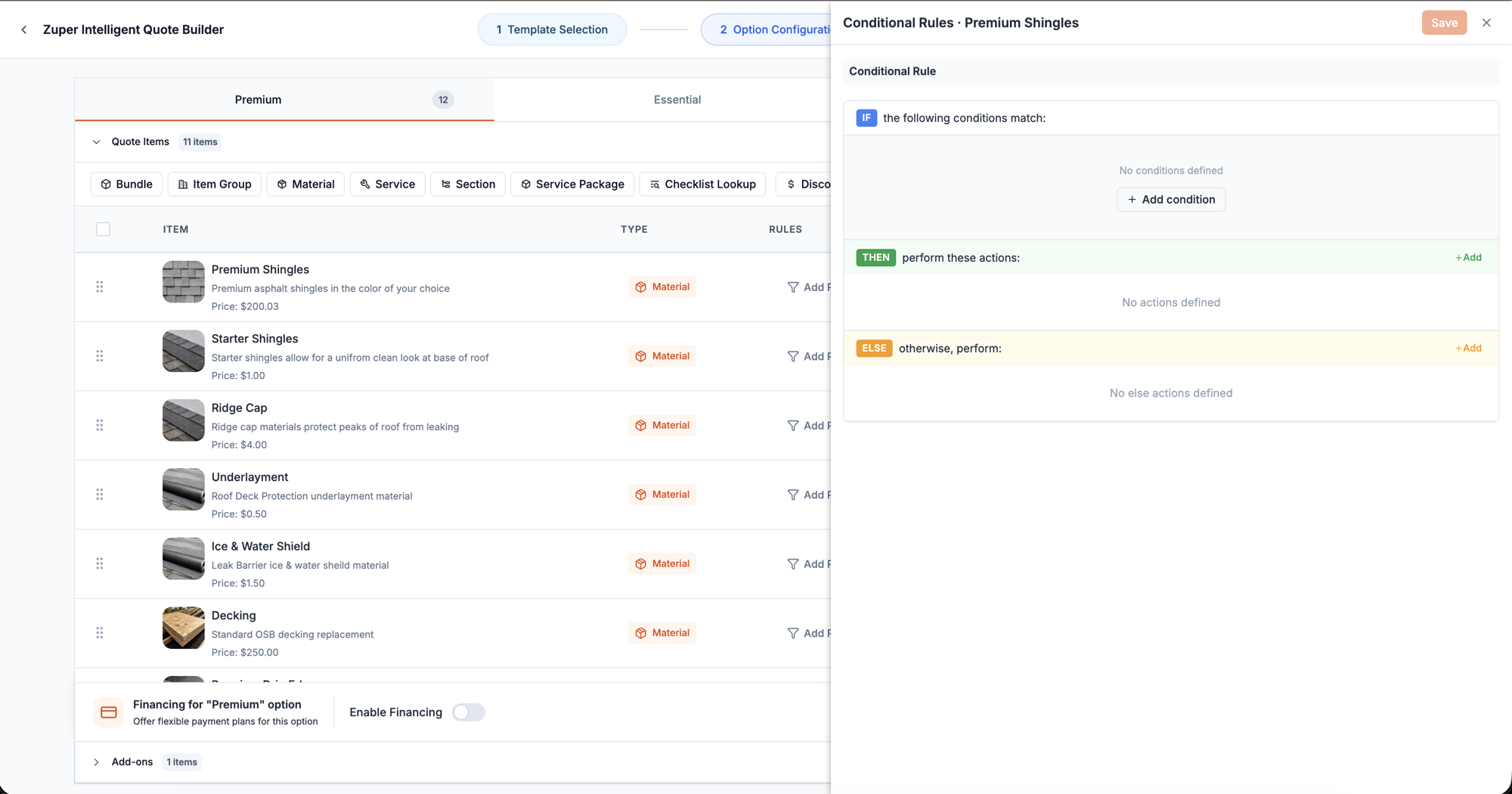
The contractor writes down the decision they already make in their head: when the roof looks like this, the job includes that. The system then applies it to every future quote without being asked again.
It reads as a sentence rather than a formula — when this is true, include this; otherwise include that instead. What goes in those blanks is the contractor’s own expertise, and the design job was never to have an opinion about roofing. It was to give that expertise somewhere to live besides one person’s memory.
Keep the rule next to the thing it governs
Rules sit on the individual item, not in a separate settings area. A central rules screen would have been easier to build and worse to live with — it makes the contractor hold a mental map of which rule affects what, and turns “why is this on my quote?” into an investigation.
Attached to the item, the answer is always one click from the thing that appeared.
Decide what happens when rules disagree
Rules can be set on a whole group of items as well as on each item, which means they can contradict each other. I decided the order of precedence up front rather than letting it be discovered in testing.
The case worth defending is the quiet one: if a group is included but nothing in it qualifies, the group disappears entirely rather than printing an empty heading. Rule systems fail at their edges, and this edge was visible not to our user but to our user’s customer — the homeowner holding the document.
Remove the retyping
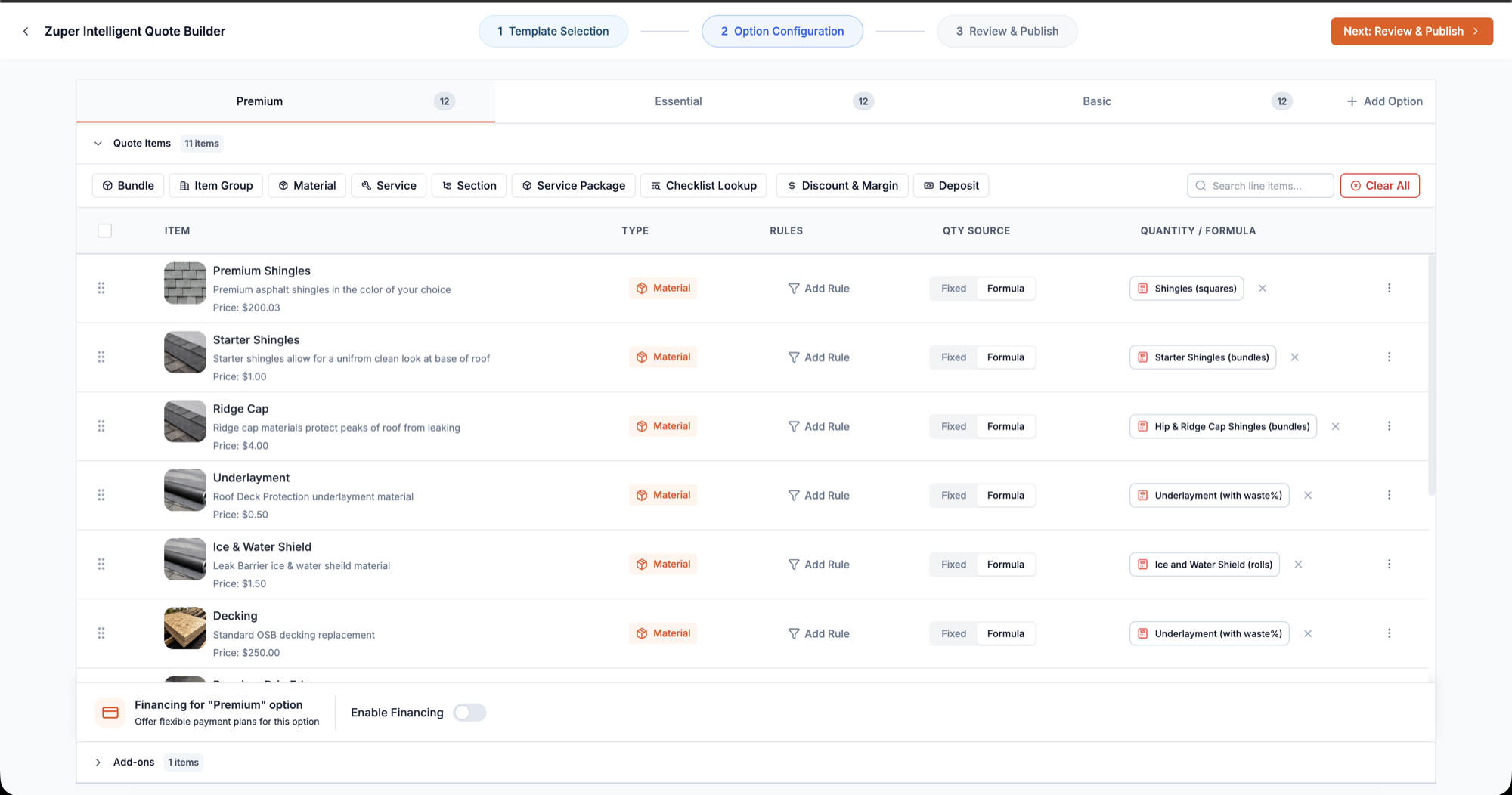
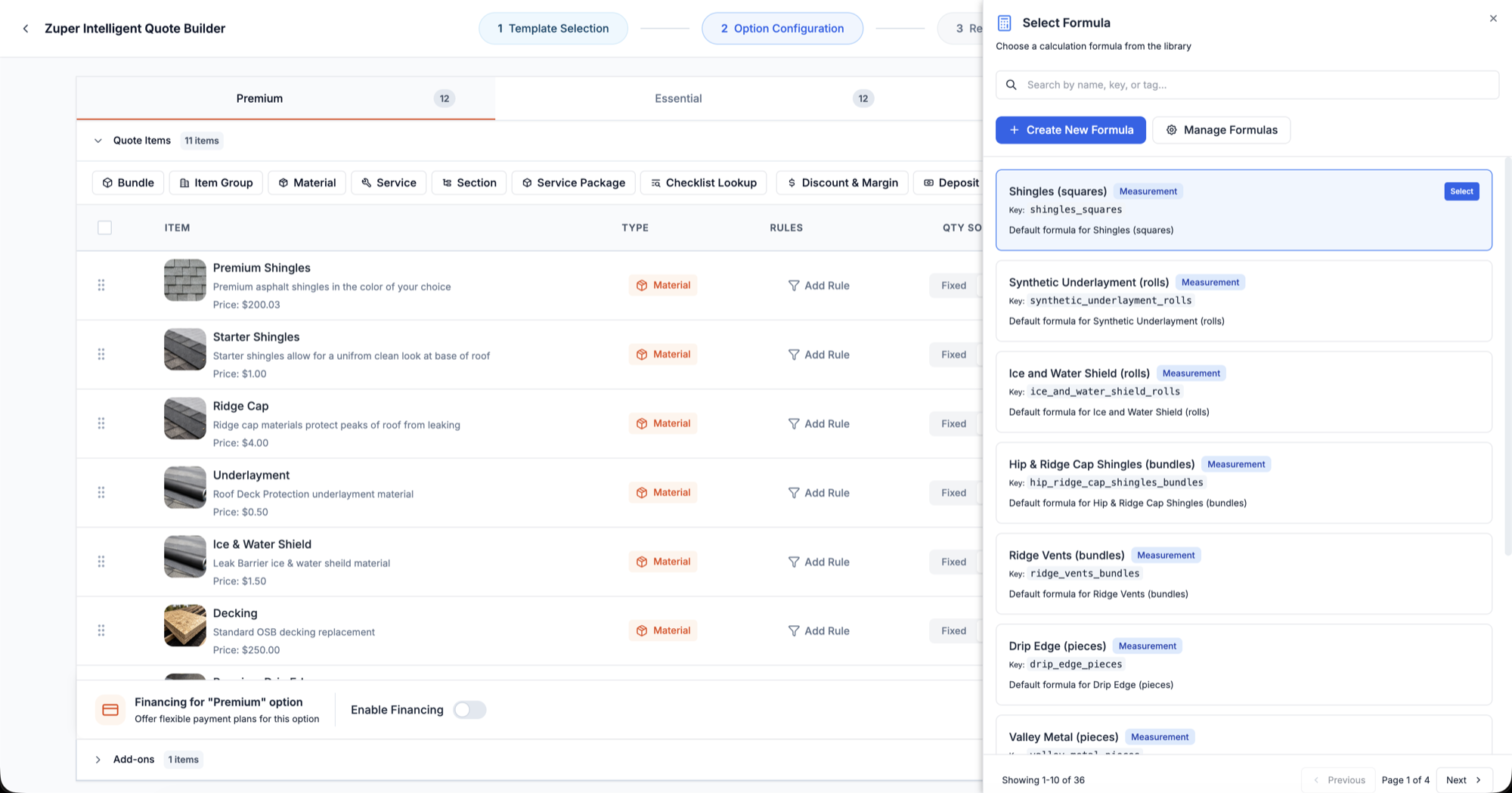
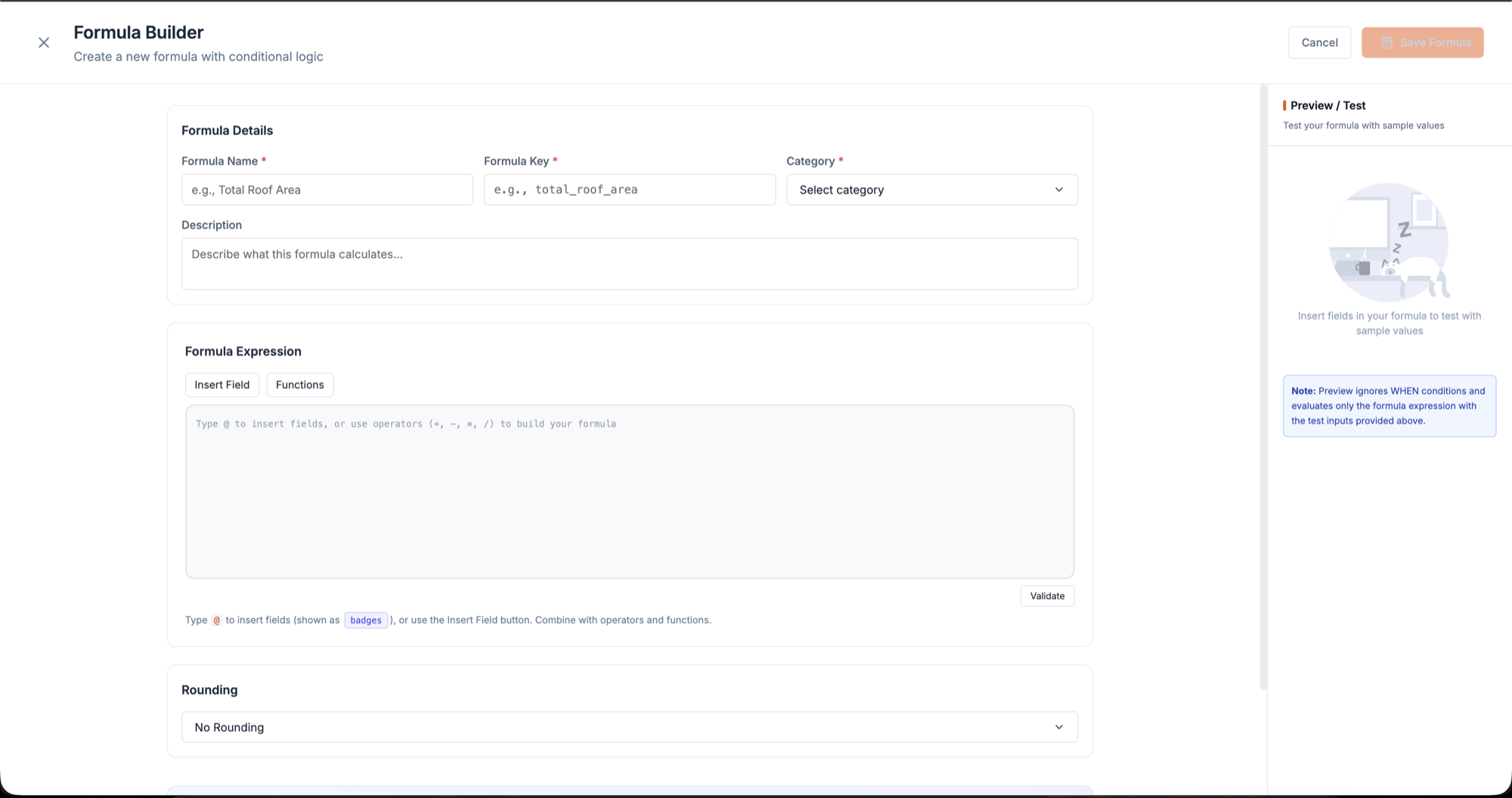
Quantities pull straight from the measurements already recorded on the job, or from a formula built on them. The number is captured once, where it is measured, and flows into every line that depends on it.
It is the least visible thing in the system and one of the most valuable. It removes a class of error by removing a class of typing.
Never start from an empty page
Setup opens on ready-made starting points — brand-specific layouts, and simple good / better / best tiers — with a blank option for anyone who wants it.
These are not shortcuts, they are a teaching device. Opening a good/better/best layout tells a contractor what the system is for and what shape their own version should take, faster than any explanation would. Rules can also be applied to many items at once, for a related reason: the first version of any rule system assumes rules are rare, and in practice the same condition gets set across a dozen items.
Order the setup by what each step needs to know
Six stages, sequenced so that each one has the context to make its decision. The cheapest, most defining choice comes first and narrows everything after it. Money questions sit late, because they describe the finished offer rather than its parts. And a preview comes before publishing, because a template is abstract until you see what the homeowner would see — that is the first moment a contractor can judge their own work.
Most of the design time on this project went into that ordering and into the rule model. Very little went into drawing screens.
what shipped
- Estimate, proposal, and approval in one flow, in the product, with no spreadsheet in the middle.
- Quotes that assemble from job data instead of being retyped.
- An accepted proposal that can trigger scheduling, purchasing, and follow-ups without re-entering what was already agreed.
the screens
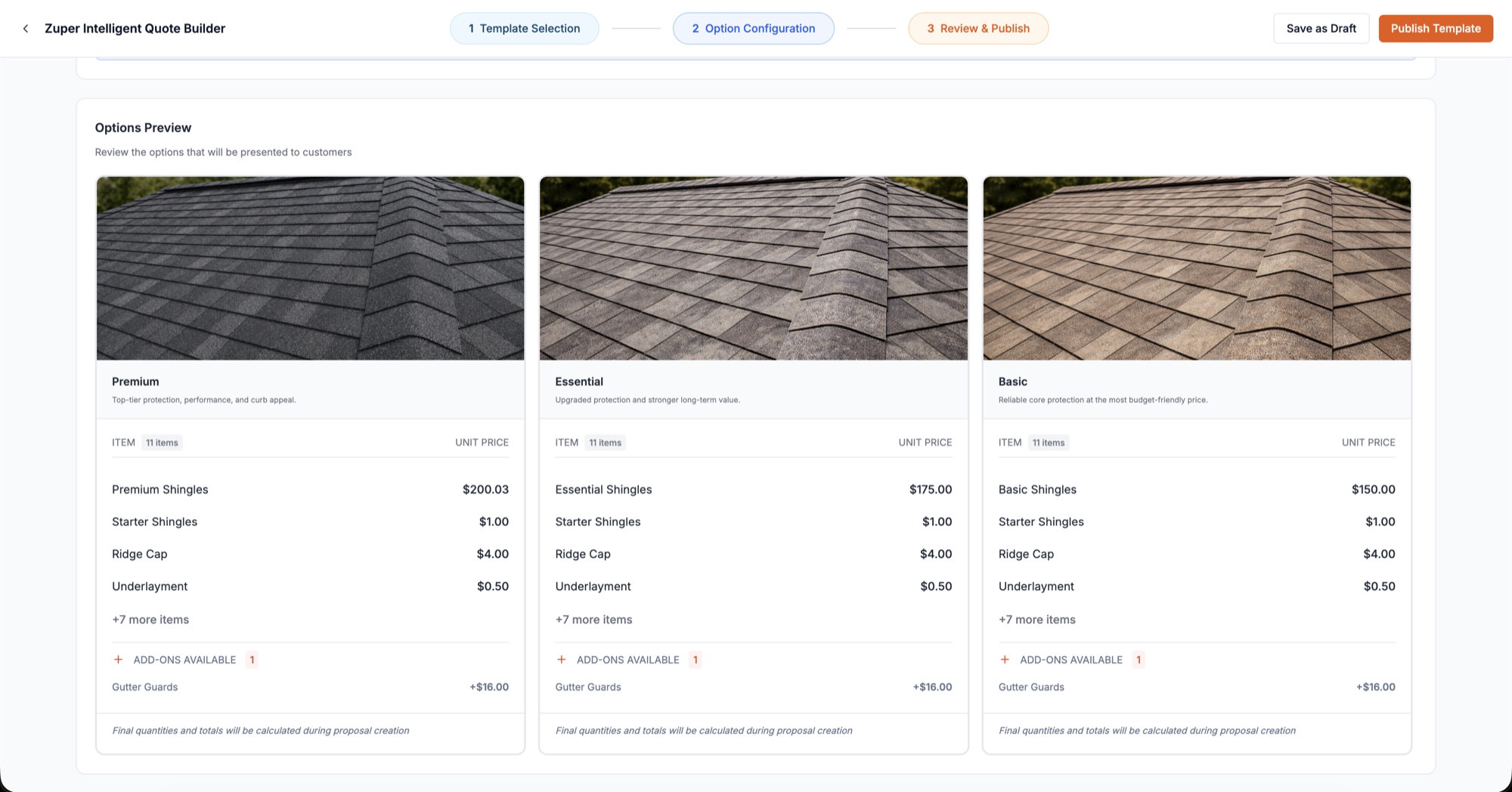
measured in production
- 2,608CPQ flows started
- 10,576proposals created
- 94companies whose proposals recompute from rules
I keep a live dashboard on this, and the tile I open first isn’t volume — it’s every quote, proposal and CPQ event ranked by clicks, distinct users, and distinct companies. Workhorses at the top, prune candidates at the bottom.
That ranking is how the next round of design decisions gets made: what to build on, what to leave alone, and what to remove. The same dashboard carries abandonment and unsent-draft views, because the interesting question is never how many people finished — it’s where the ones who didn’t stopped.
These events carry no quote identifiers or values, so win rate and revenue are not derivable from them and I don’t claim either. That needs a different source.
what changed
- CPQfull configure-price-quote flow, in product
- One flowestimate → proposal → approval, no spreadsheet
- Verticalcore of Zuper’s push into roofing operations
what I'd do differently
The interface was never the hard part of CPQ — the pricing model was. I got there by building toward it rather than starting from it. Next time I’d design the precedence rules alongside the item rules instead of after them: deciding what happens when two rules disagree isn’t an edge case to tidy up later, it’s what determines whether a contractor trusts the output enough to put their name on it.
Open the full portfolio →